Intent Filters
Allowing Other Apps to Start Your Activity
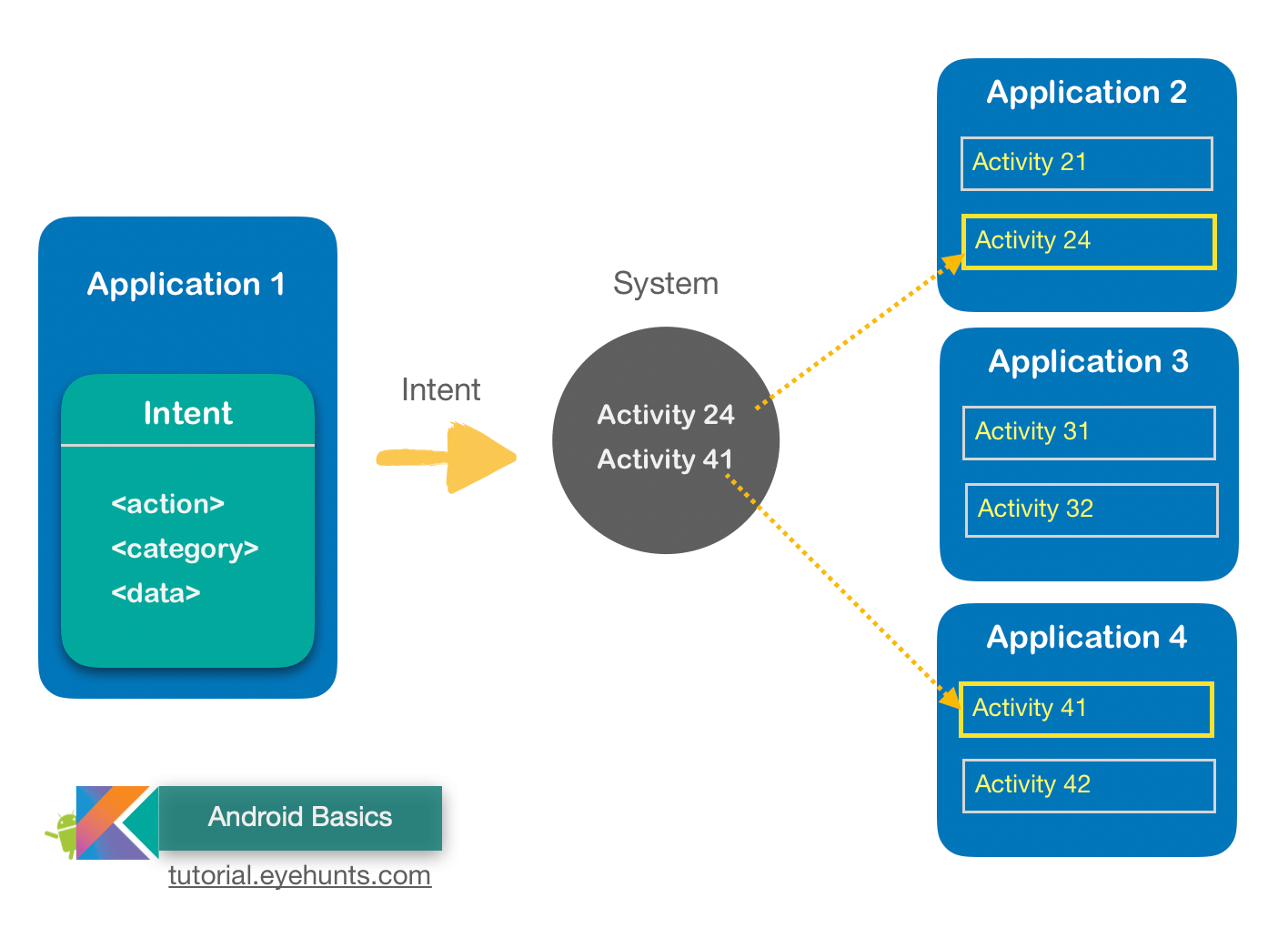
Add an Intent Filter
-
The system may send a given
Intentto an activity if that activity has an intent filter fulfills the following criteria of theIntentobject: -
Action
A string naming the action to perform. Usually one of the platform-defined values such as
ACTION_SENDorACTION_VIEW. Specify this in your intent filter with the<action>element. The value you specify in this element must be the full string name for the action, instead of the API constant (see the examples below). -
Data
A description of the data associated with the intent.Specify this in your intent filter with the
<data>element. Using one or more attributes in this element, you can specify just the MIME type, just a URI prefix, just a URI scheme, or a combination of these and others that indicate the data type accepted. -
Category
Provides an additional way to characterize the activity handling the intent, usually related to the user gesture or location from which it’s started. There are several different categories supported by the system, but most are rarely used. However, all implicit intents are defined with CATEGORY_DEFAULT by default. Specify this in your intent filter with the
<category>element. -
In your intent filter, you can declare which criteria your activity accepts by declaring each of them with corresponding XML elements nested in the
<intent-filter>element.<activity android:name="ShareActivity"> <intent-filter> <action android:name="android.intent.action.SEND"/> <category android:name="android.intent.category.DEFAULT"/> <data android:mimeType="text/plain"/> <data android:mimeType="image/*"/> </intent-filter> </activity> -
If any two pairs of action and data are mutually exclusive in their behaviors, you should create separate intent filters to specify which actions are acceptable when paired with which data types.
<activity android:name="ShareActivity"> <!-- filter for sending text; accepts SENDTO action with sms URI schemes --> <intent-filter> <action android:name="android.intent.action.SENDTO"/> <category android:name="android.intent.category.DEFAULT"/> <data android:scheme="sms" /> <data android:scheme="smsto" /> </intent-filter> <!-- filter for sending text or images; accepts SEND action and text or image data --> <intent-filter> <action android:name="android.intent.action.SEND"/> <category android:name="android.intent.category.DEFAULT"/> <data android:mimeType="image/*"/> <data android:mimeType="text/plain"/> </intent-filter> </activity> -
Handle the Intent in Your Activity
@Override protected void onCreate(Bundle savedInstanceState) { super.onCreate(savedInstanceState); setContentView(R.layout.main); // Get the intent that started this activity Intent intent = getIntent(); Uri data = intent.getData(); // Figure out what to do based on the intent type if (intent.getType().indexOf("image/") != -1) { // Handle intents with image data ... } else if (intent.getType().equals("text/plain")) { // Handle intents with text ... } } -
Return a Result
  // Create intent to deliver some kind of result data
  Intent result = new Intent("com.example.RESULT_ACTION", Uri.parse("content://result_uri"));
  setResult(Activity.RESULT_OK, result);
  finish();