Adding Image to HTML
- Images can improve the design and the appearance of a web page.
-
HTML images Syntax
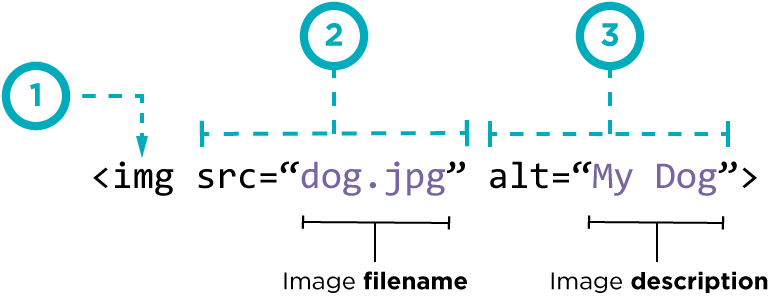
-
Width and Height of Image
The width and height attributes always define the width and height of the image in pixels.

-
Old Code: Aligning Images Horizontally
-
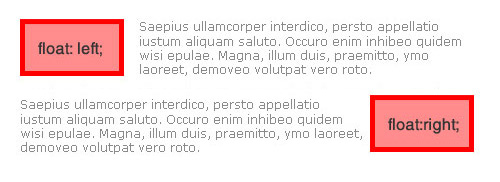
there are three attribute to indicate how the other parts of a page should flow around an image.
-
1- allign attribute < p >< img src=”images/bird.gif” alt=”Bird” width=”100” height=”100” align=”left” />

-
2- float attribute
-
Figure and Figure Caption
-
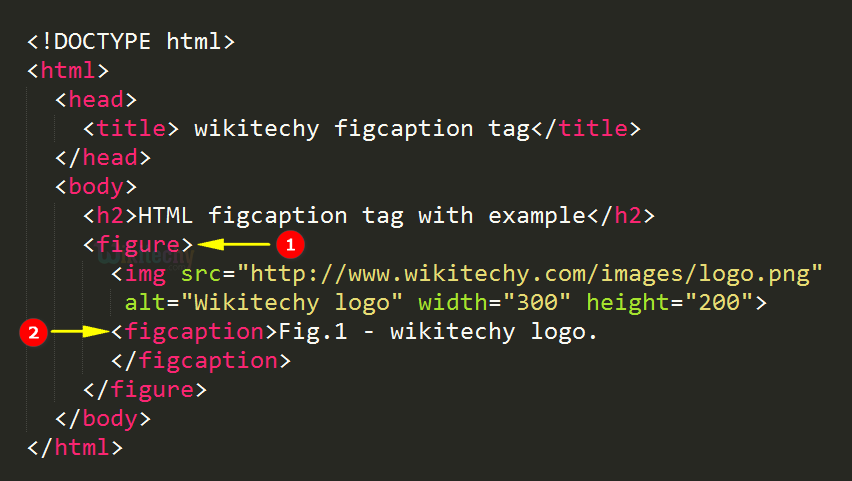
Images often come with captions. HTML5 has introduced a new < figure > element to contain images and their caption so that the two are associated.
-
You can have more than one image inside the < figure > element as long as they all share the same caption.

-
-
CSS Colors
-
The color property specifies the color of text.

-
The background-color property sets the background color of an element. The background of an element is the total size of the element, including padding and border (but not the margin).
-
CSS Color Values
- The color of every pixel on the screen is expressed in terms of a mix of red, green, and blue.
- You can see the RGB values specified next to the radio buttons that say R, G, B.
-
How can you give color attributs a value
-
1- rgb Color
-
Each parameter (red, green, and blue) defines the intensity of the color between 0 and 255.
-
For example, rgb(255, 0, 0) is displayed as red, because red is set to its highest value (255) and the others are set to 0.
-
To display black, set all color parameters to 0, like this: rgb(0, 0, 0).
-
To display white, set all color parameters to 255, like this: rgb(255, 255, 255).
-
-
2- HEX Value
-
A hexadecimal color is specified with: #RRGGBB.
-
RR (red), GG (green) and BB (blue) are hexadecimal integers between 00 and FF specifying the intensity of the color.
-
-
3- rgba color
-
RGBA color values are an extension of RGB color values with an alpha channel - which specifies the opacity for a color.
-
An RGBA color value is specified with: rgba(red, green, blue, alpha). The alpha parameter is a number between 0.0 (fully transparent) and 1.0 (fully opaque).

-
-
4- HSL Color
-
HSL stands for Hue, Saturation and Lightness.
-
An HSL color value is specified with: hsl(hue, saturation, lightness).
- Hue is a degree on the color wheel (from 0 to 360):
- 1- 0 (or 360) is red
- 2- 120 is green
- 3- 240 is blue
- Saturation is a percentage value: 100% is the full color.
- Lightness is also a percentage; 0% is dark (black) and 100% is white.

-
-
5- HSLA Colors
-
HSLA color values are an extension of HSL color values with an alpha channel - which specifies the opacity for a color.
-
An HSLA color value is specified with: hsla(hue, saturation, lightness, alpha), where the alpha parameter defines the opacity. The alpha parameter is a number between 0.0 (fully transparent) and 1.0 (fully opaque).

-
-
6- Opacity
-
The CSS opacity property sets the opacity for the whole element (both background color and text will be opaque/transparent).
-
The opacity property value must be a number between 0.0 (fully transparent) and 1.0 (fully opaque).
-
ex : background-color:rgb(0,0,255);opacity:0.6;
-
-

HTML Text
-
Typeface Terminology
-
1- Serif
- Serif fonts have extra details onthe ends of the main strokes ofthe letters.
- Example : Georgia, Times and Times New Roman
-
2- Sans-Serif
- Sans-serif fonts have straight ends to letters, and therefore have a much cleaner design.
- Example : Arial, Verdana and Helvetica
-
3- Monospace
- Every letter in a monospace (or fixed-width) font is the same width. (Non-monospace fonts have different widths.)
- Examples: Courier and Courier New
-
4- Cursive
- Cursive fonts either have joining strokes or other cursive characteristics, such as handwriting styles.
- Examples: Comic Sans MS and Monotype Corsiva
-
5- Fantasy
- Fantasy fonts are usually decorative fonts and are often used for titles. They’re not designed for long bodies of text.
-
Examples: Impact and Haettenschweiler

-
HTML Font Property
-
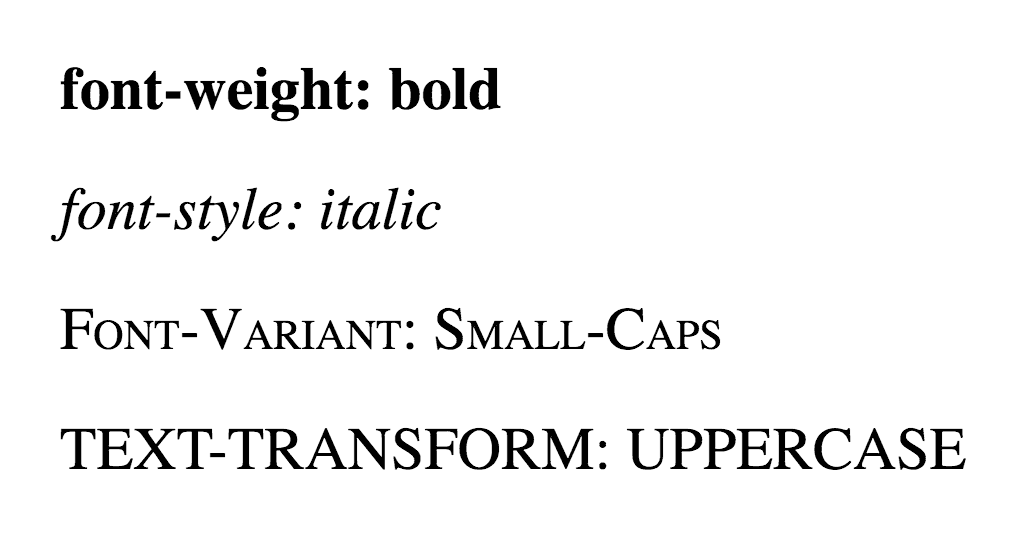
1- Weight : Light, Medium, Bold and Black
-
2- Style : Normal, Italic and Oblique
-
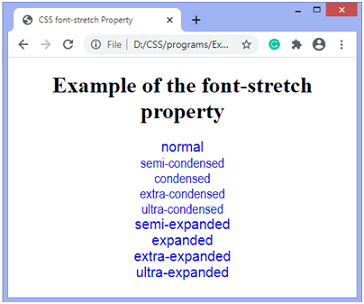
3- Stretch : Condensed, Regular and Extended
-
-
Font Family
- The following list are the best web safe fonts for HTML and CSS:

- The following list are the best web safe fonts for HTML and CSS:
-
Font Size
-
You can set content font size using the size attribute. The range of accepted values is from 1(smallest) to 7(largest). The default size of a font is 3.
-
You can also use font-size in pixels and percentage.

-
-
@font-face
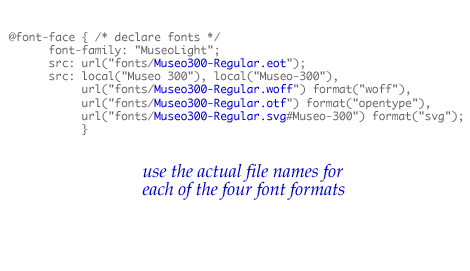
- allows you to use a font, even if it is not installed on the computer of the person browsing, by allowing you to specify a path to a copy of the font, which will be downloaded if it is not on the user’s machine.
- Example :
-
Text Transform
- The text-transform property is used to change the case of text giving it one of the following values:
- 1- uppercase : This causes the text to appear uppercase.
- 2- lowercase : This causes the text to appear lowercase.
- 3- capitalizeThis : causes the first letter of each word to appear capitalized.
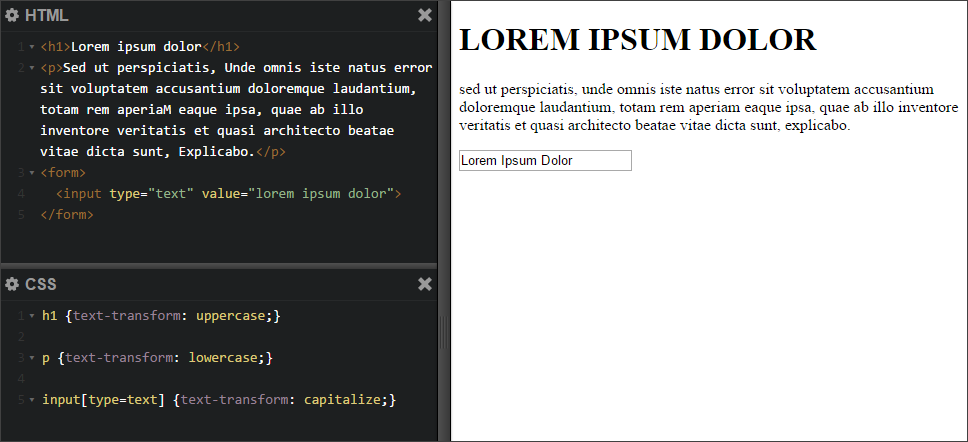
- The text-transform property is used to change the case of text giving it one of the following values:
-
text-decoration
- The text-decoration property allows you to specify the following values:

-
Line Height
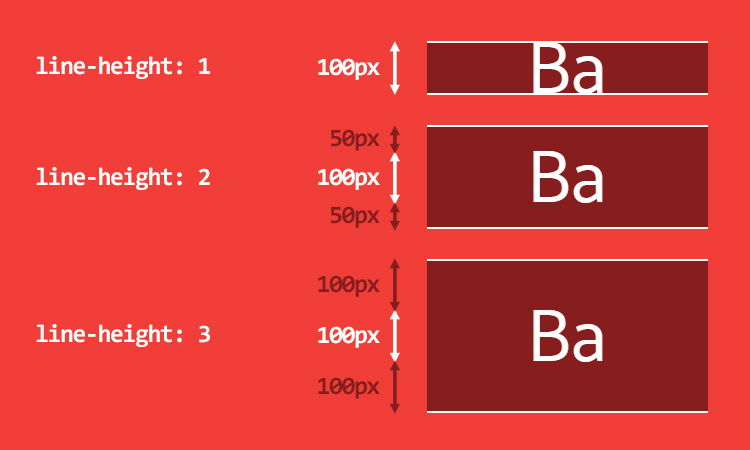
- In CSS, the line-height property sets the height of an entire line of text, so the difference between the fontsize and the line-height is equivalent to the leading
-
text-align
- The text-align property allows you to control the alignment of text. The property can take one of four values: left, right ,center and justify

-
text-shadow
-
The text-shadow property has become commonly used despite lacking support in all browsers.
-
Syntax : text-shadow: -1px -1px #666666;

-
-
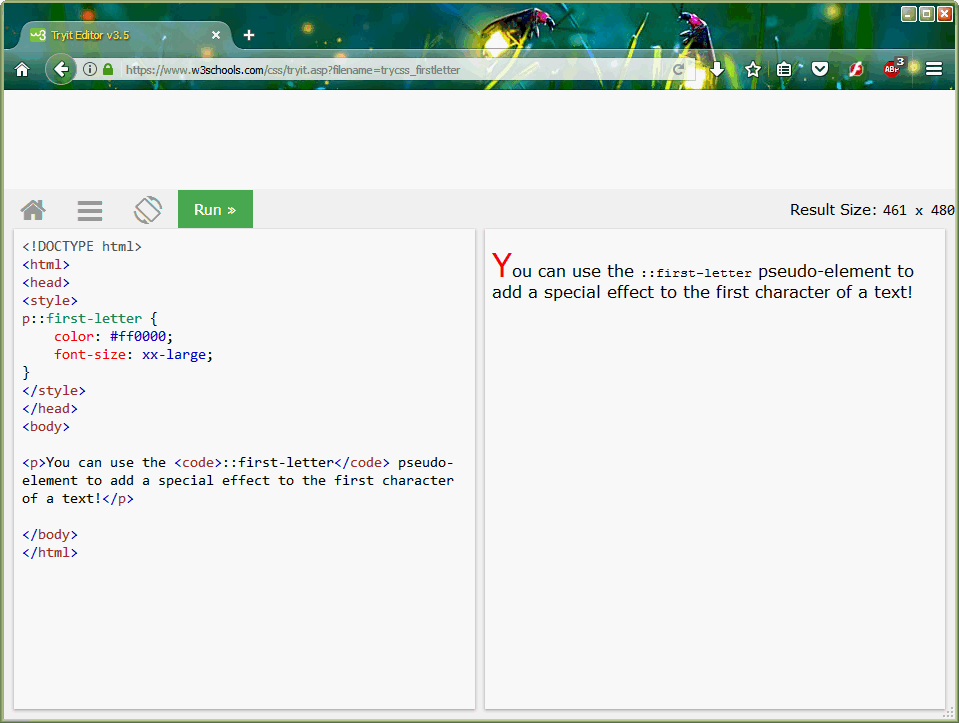
1- First Letter or Line
-
-
JPEG vs PNG vs GIF — which image format to use and when?
format uses Compression JPEG Use JPEG format for all images that contain a natural scene or photograph where variation in colour and intensity is smooth. lossy compression PNG Use PNG format for any image that needs transparency or for images with text & objects with sharp contrast edges like logos. lossless compression GIF Use GIF format for images that contain animations. lossless Compression -
Lossy image compression :
is a process that removes some of the data from your image file, reducing the overall file size. This process is irreversible, meaning that the file information will be removed permanently.
-
lossless image compression :
won’t reduce image quality. That’s because lossless compression only removes additional, non-essential data automatically added by the device used to take the photo.